
Run Guardian
Personal Project: Running Safety App
Running is becoming increasingly popular among young women. As more beginners join the sport, many rely solely on their phones instead of expensive wearables such as Garmins or Apple Watches, which include incident detection.
Phone-only features such as Strava Beacon or WhatsApp Live Location share location but do not communicate a runner’s well-being, leaving a noticeable safety gap.
RunGuardian closes that gap by allowing a runner’s contact to check both their location and whether they are still moving.
Opportunity
Running for women: a growing profitable category
📈🏃♀️➡️
More women are taking up running
Market data reflects this momentum: Gen Z women became Strava’s fastest-growing user segment.
📱
Phone-based safety solutions are underdeveloped
Unlike devices such as Apple Watch and Garmin, phone-based safety solutions like Strava Beacon and WhatsApp Live Location only provide location sharing and do not monitor runner movement or wellbeing.
Taken together, these signals indicate strong market momentum and a clear gap in accessible beginner runner safety solutions.
Primary Safety Challenges
😬
Manual safety checking creates anxiety
Running safety today relies on manual location monitoring. As a result, friends and family must repeatedly check in, creating unnecessary anxiety and effort in the absence of automated reassurance.
🏃♀️➡️
Safe running routes are difficult to asess
When route planners do not account for safety factors such as lighting or area safety, runners must assess routes themselves. This adds friction, reduces confidence, and limits when and where they feel comfortable running.
Solution
Automatic well-being check-in with runner
Flow 1
Users can share their running location and activity status with a trusted contact. Instead of frequent notifications, the contact is continuously updated via a Lock Screen Live Activity, providing updates at a glance. Notifications are only sent when the runner starts or ends a run, or if they stop for at least four minutes.
Making safety risks visible
Flow 2
Users can look at different maps to decide which area they would like to run in when they are not choosing a preplanned route. The various map views, which show traffic data, streetlight data, and other safety information, help users determine the safest route for themselves.
Final Prototype
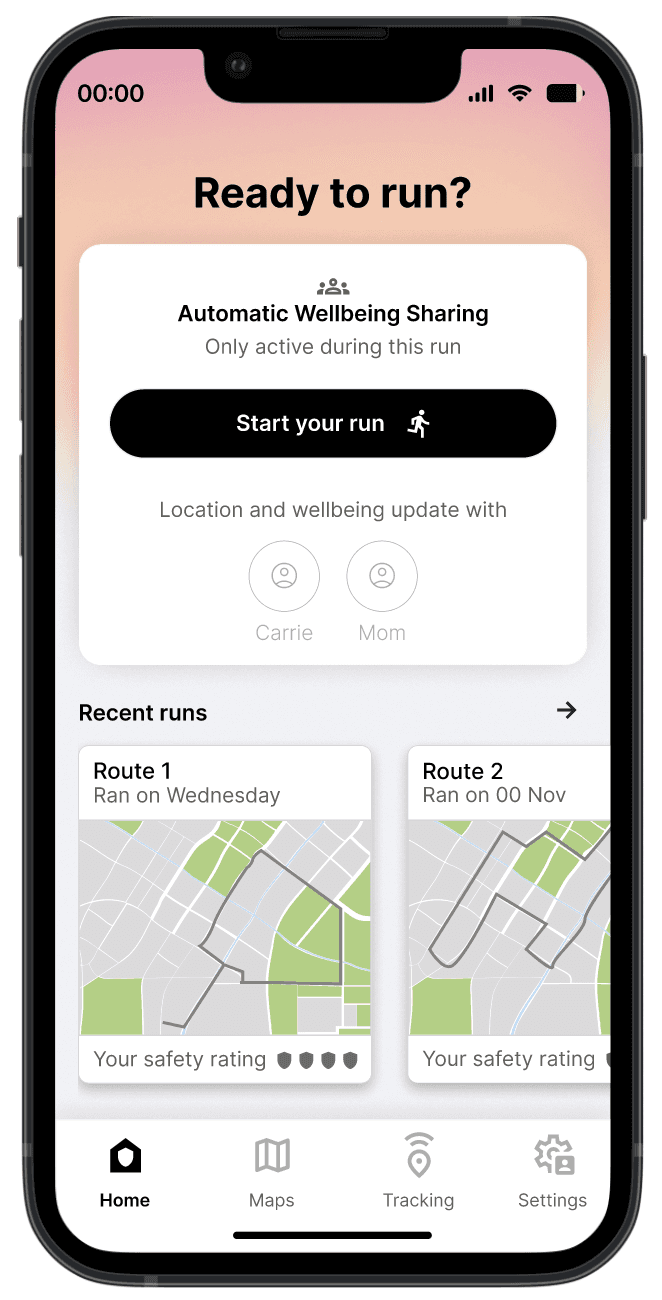
Have a look at the final prototype here
View Prototype
Success Metrics
Business model: Many successful running apps operate on a subscription-based model. I would adopt the same approach for this case.
I would measure the following information for feedback other than user interviews:
01.
Subscription retention rate
(30-day, 60-day, 90-day)
02.
Weekly active users
Weekly, because most runners do not run daily
03.
Review tool use
Amount of reviews recorded in review tool
Case Study Summary

Have a look at more of my process here
View Case Study
Run Guardian
Personal Project: Running Safety App
Running is becoming increasingly popular among young women. As more beginners join the sport, many rely solely on their phones instead of expensive wearables such as Garmins or Apple Watches, which include incident detection.
Phone-only features such as Strava Beacon or WhatsApp Live Location share location but do not communicate a runner’s well-being, leaving a noticeable safety gap.
RunGuardian closes that gap by allowing a runner’s contact to check both their location and whether they are still moving.
Opportunity
Running for women: a growing profitable category
📈🏃♀️➡️
More women are taking up running
Market data reflects this momentum: Gen Z women became Strava’s fastest-growing user segment.
📱
Phone-based safety solutions are underdeveloped
Unlike devices such as Apple Watch and Garmin, phone-based safety solutions like Strava Beacon and WhatsApp Live Location only provide location sharing and do not monitor runner movement or wellbeing.
Taken together, these signals indicate strong market momentum and a clear gap in accessible beginner runner safety solutions.
Primary Safety Challenges
😬
Manual safety checking creates anxiety
Running safety today relies on manual location monitoring. As a result, friends and family must repeatedly check in, creating unnecessary anxiety and effort in the absence of automated reassurance.
🏃♀️➡️
Safe running routes are difficult to asess
When route planners do not account for safety factors such as lighting or area safety, runners must assess routes themselves. This adds friction, reduces confidence, and limits when and where they feel comfortable running.
Solution
Automatic well-being check-in with runner
Flow 1
Users can share their running location and activity status with a trusted contact. Instead of frequent notifications, the contact is continuously updated via a Lock Screen Live Activity, providing updates at a glance. Notifications are only sent when the runner starts or ends a run, or if they stop for at least four minutes.
Live Activity provides continuous, at-a-glance updates without constant notifications.
Making safety risks visible
Flow 2
Users can look at different maps to decide which area they would like to run in when they are not choosing a preplanned route. The various map views, which show traffic data, streetlight data, and other safety information, help users determine the safest route for themselves.
Final Prototype
Success Metrics
Business model: Many successful running apps operate on a subscription-based model. I would adopt the same approach for this case.
I would measure the following information for feedback other than user interviews:
01.
Subscription retention rate
(30-day, 60-day, 90-day)
02.
Weekly active users
Weekly, because most runners do not run daily
03.
Review tool use
Amount of reviews recorded in review tool
Case Study Summary
Running is becoming increasingly popular among young women. As more beginners join the sport, many rely solely on their phones instead of expensive wearables such as Garmins or Apple Watches, which include incident detection.
Phone-only features such as Strava Beacon or WhatsApp Live Location share location but do not communicate a runner’s well-being, leaving a noticeable safety gap.
RunGuardian closes that gap by allowing a runner’s contact to check both their location and whether they are still moving.
Opportunity
Running for women: a growing profitable category
📈🏃♀️➡️
More women are taking up running
Market data reflects this momentum: Gen Z women became Strava’s fastest-growing user segment.
📱
Phone-based safety solutions are underdeveloped
Unlike devices such as Apple Watch and Garmin, phone-based safety solutions like Strava Beacon and WhatsApp Live Location only provide location sharing and do not monitor runner movement or wellbeing.
Taken together, these signals indicate strong market momentum and a clear gap in accessible beginner runner safety solutions.
Problem
😬
Manual safety checking creates anxiety
Running safety today relies on manual location monitoring. As a result, friends and family must repeatedly check in, creating unnecessary anxiety and effort in the absence of automated reassurance.
🏃♀️➡️
Safe running routes are difficult to asess
When route planners do not account for safety factors such as lighting or area safety, runners must assess routes themselves. This adds friction, reduces confidence, and limits when and where they feel comfortable running.
Solution
Automatic well-being check-in with runner
Flow 1
Users can share their running location and activity status with a trusted contact. Instead of frequent notifications, the contact is continuously updated via a Lock Screen Live Activity, providing updates at a glance. Notifications are only sent when the runner starts or ends a run, or if they stop for at least four minutes.
Making safety risks visible
Flow 2
Users can look at different maps to decide which area they would like to run in when they are not choosing a preplanned route. The various map views, which show traffic data, streetlight data, and other safety information, help users determine the safest route for themselves.
Final Prototype

Have a look at the final prototype here
View Prototype
Success Metrics
I would measure the following information for feedback other than user interviews:
01.
Subscription retention rate
(30-day, 60-day, 90-day)
02.
Weekly active users
Weekly, because most runners do not run daily
03.
Review tool use
Amount of reviews recorded in review tool
Case Study Summary
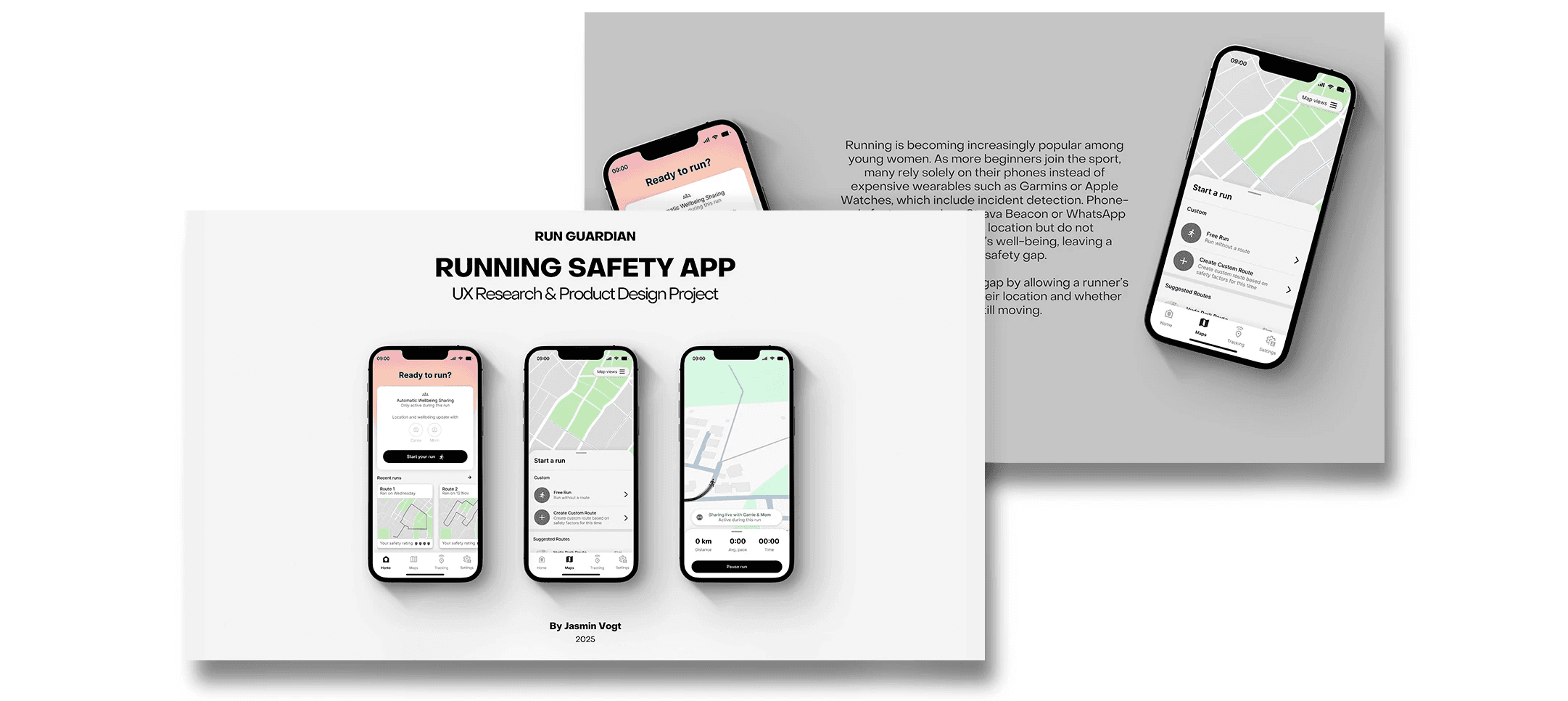
Have a look at more of my process here
View Case Study